

Model, mesh, solve, review.
A complete finite element workflow that runs in a browser tab. Nothing to install, and the heavy lifting runs on a Fortran solver.
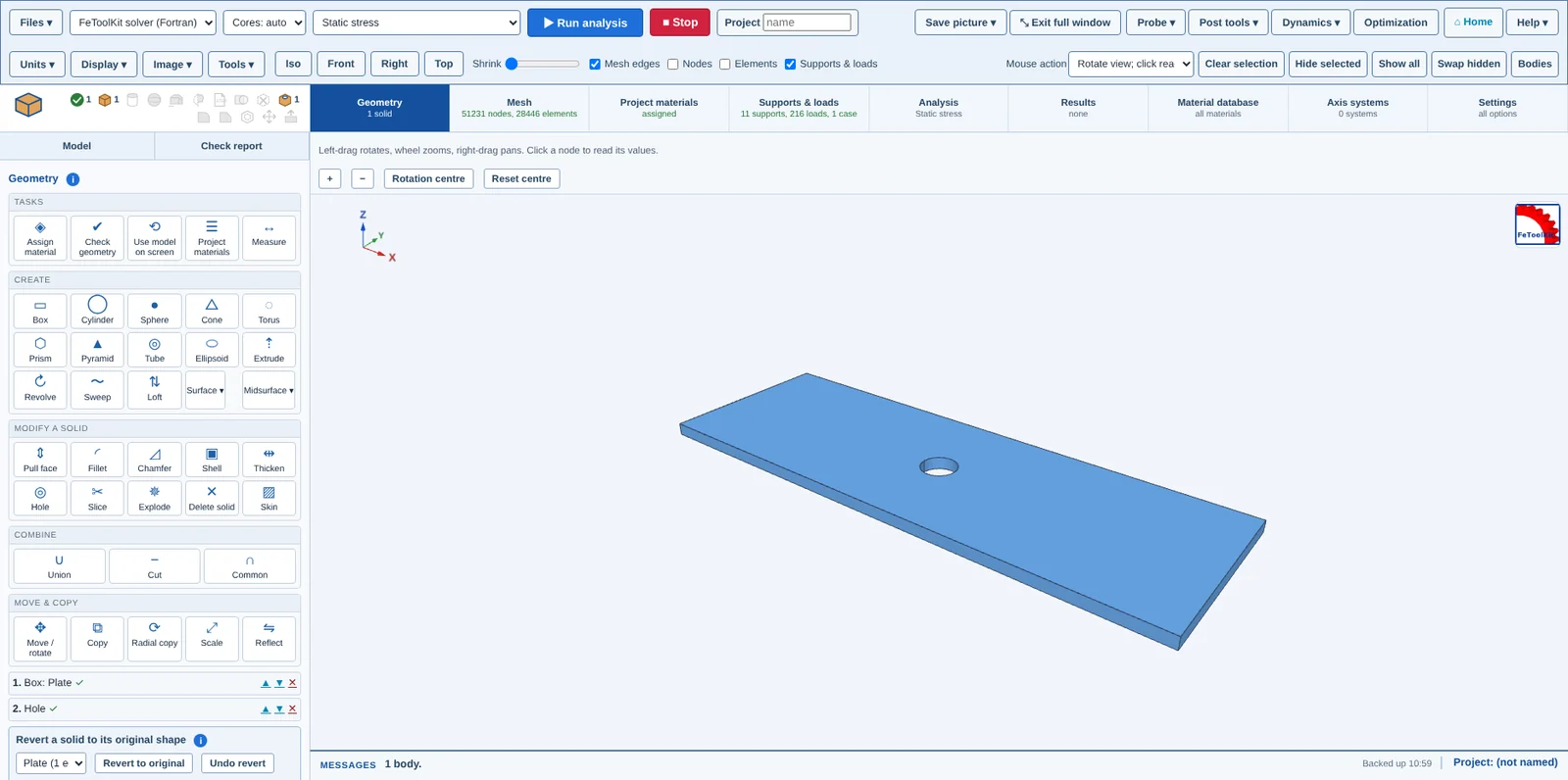
Start from CAD or build it.
Bring a part in and confirm what it is before anything else: units and overall size are shown on arrival, and you can change the units right there. Or build the shape from features.
- Import CAD with a units and size check
- Dimension arrows drawn on the model
- Boolean and hole features in an editable list
- Measure distances and copy the readout
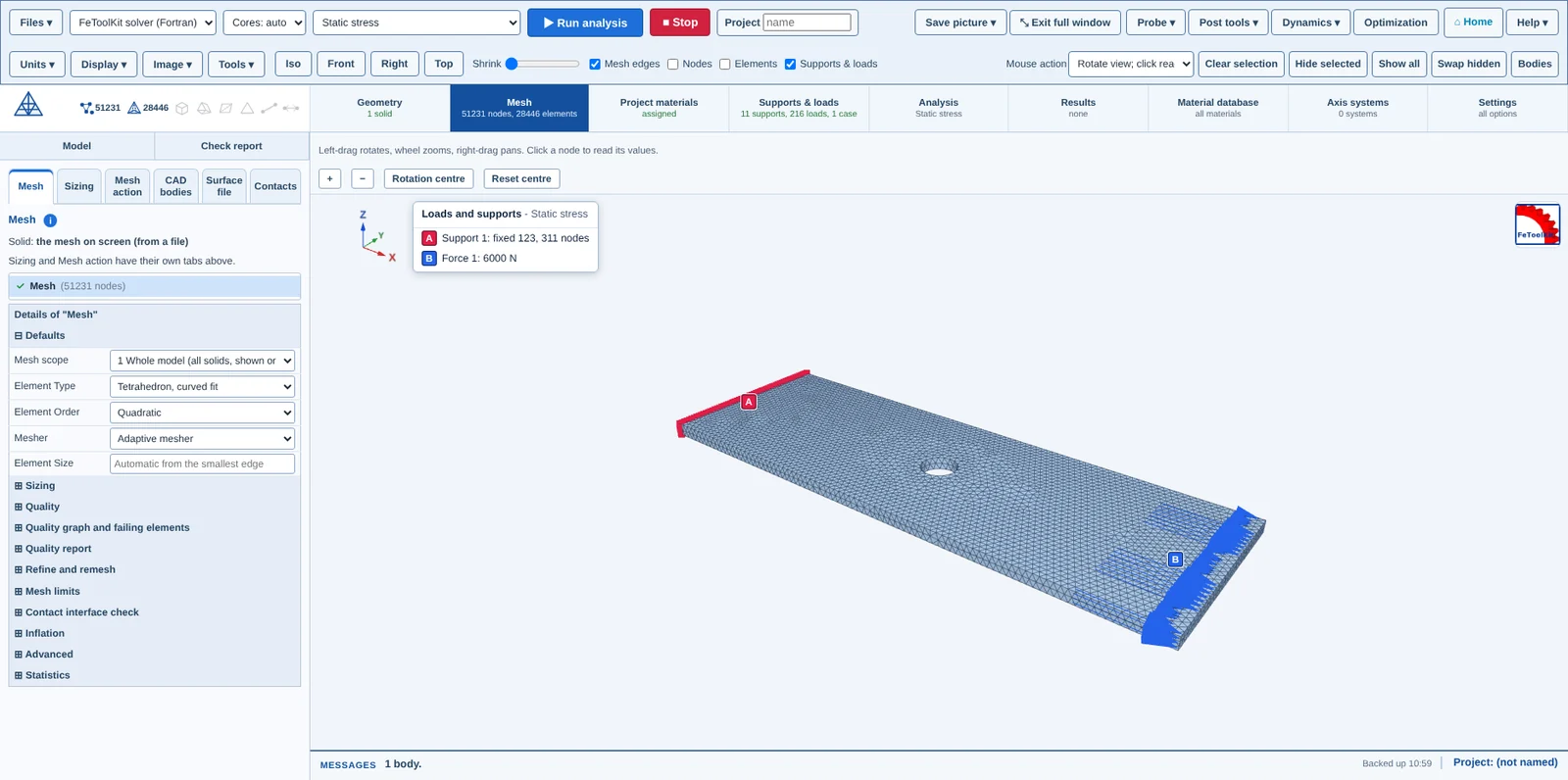
Control the mesh, see the mesh.
Pick element type, order and sizing, then look at the result before you solve. The mesh tabs sit across the top so every control is one click away.
- Hex, tet, or curved-fit tet
- Linear or quadratic elements
- Sizing, CAD bodies, surface file, contacts each on their own tab
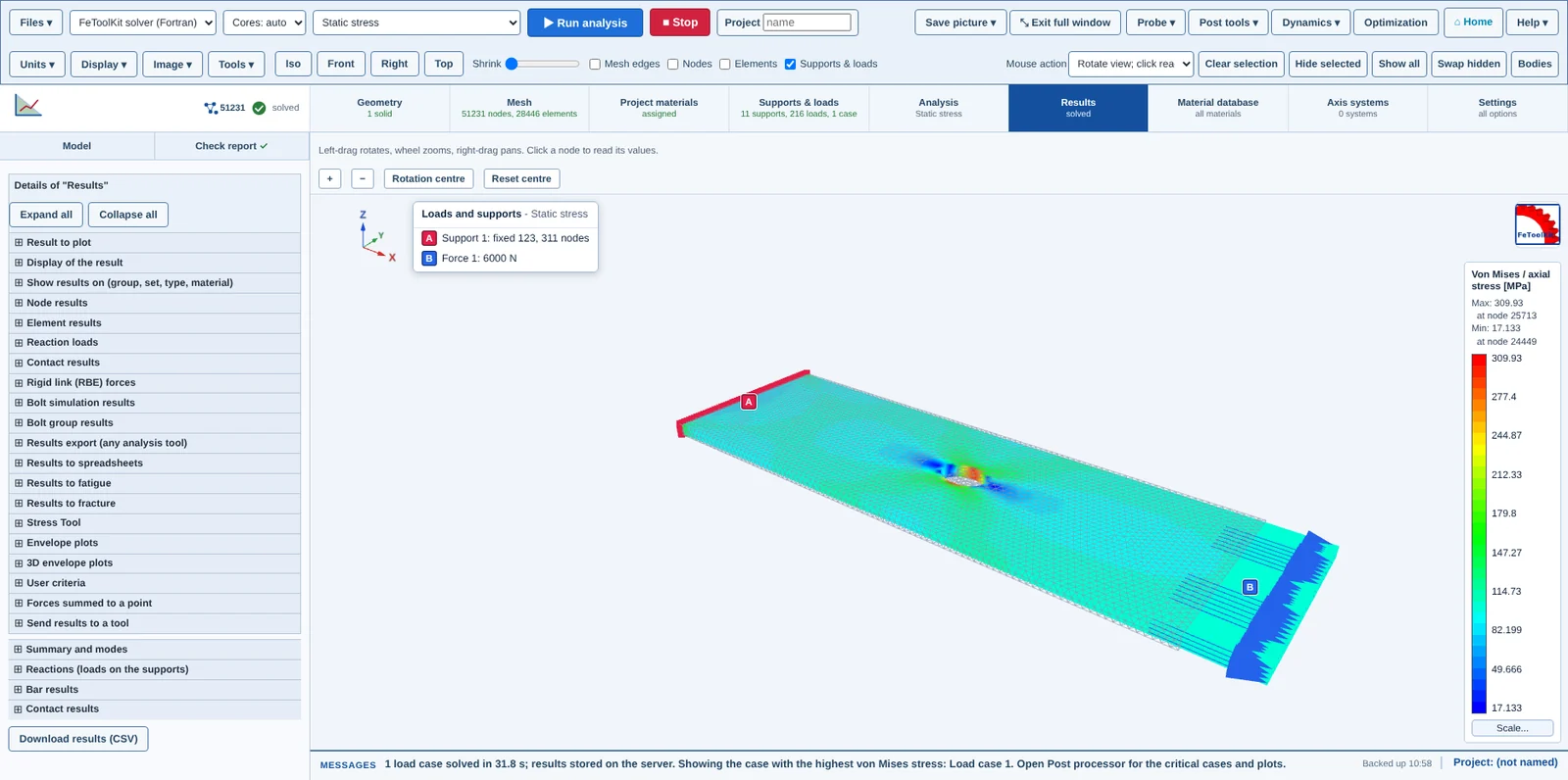
Results you can interrogate.
Contours on the deformed model, with values you can pick off. Switch between analysis types on the same geometry.
- Static stress and displacement
- Mode shapes and frequencies
- Buckling load factors
 New · FEAXIOM
Traditional FEA here. The AI-driven mode next door.
The Workbench is traditional finite element analysis: you define the geometry, mesh, loads and supports yourself and keep full control. FEAXIOM is a separate mode that starts from a picture or CAD model and asks for minimum input. The AI proposes the model, you check it, and it is solved. It has its own window beside the Workbench.
What the Workbench does.
Geometry
Feature-based editor with boxes, cylinders, holes and boolean operations, or import CAD. On import you confirm the units and size, change units in place, and see dimension arrows on the model. The project name defaults to the file name.
Meshing
Hexahedron or tetrahedron meshes, including tetrahedra fitted to curved surfaces. Linear or quadratic elements. Coarse, medium and fine sizing, with thin features either refined automatically or left out.
Contacts
Bonded contact shares nodes across bodies. Sliding and frictionless separating contacts are available where parts need to move.
Loads and supports
Force, pressure and gravity loads; fixed and sliding constraints; thermal loads for thermal stress. Pick a surface, edge, point or body on the CAD model and the load stays on the geometry: it is placed on the nodes each time you mesh, and it is still there if you delete the mesh.
Solvers
Choose the solver for each run and run the same model with another one as a cross-check. Multi-core aware, with a core count you can set.
Results
Contour plots on the deformed shape, mode shapes, buckling factors, time histories, and a measure tool for reading values and distances.
FEAXIOM
Upload a picture or CAD model: the AI proposes dimensions, loads and supports, you correct them on a review screen, and the Workbench solves the full 3D model. A best-effort first model to verify; the AI step needs the account owner's AI key, and manual mode needs no AI.
Reports
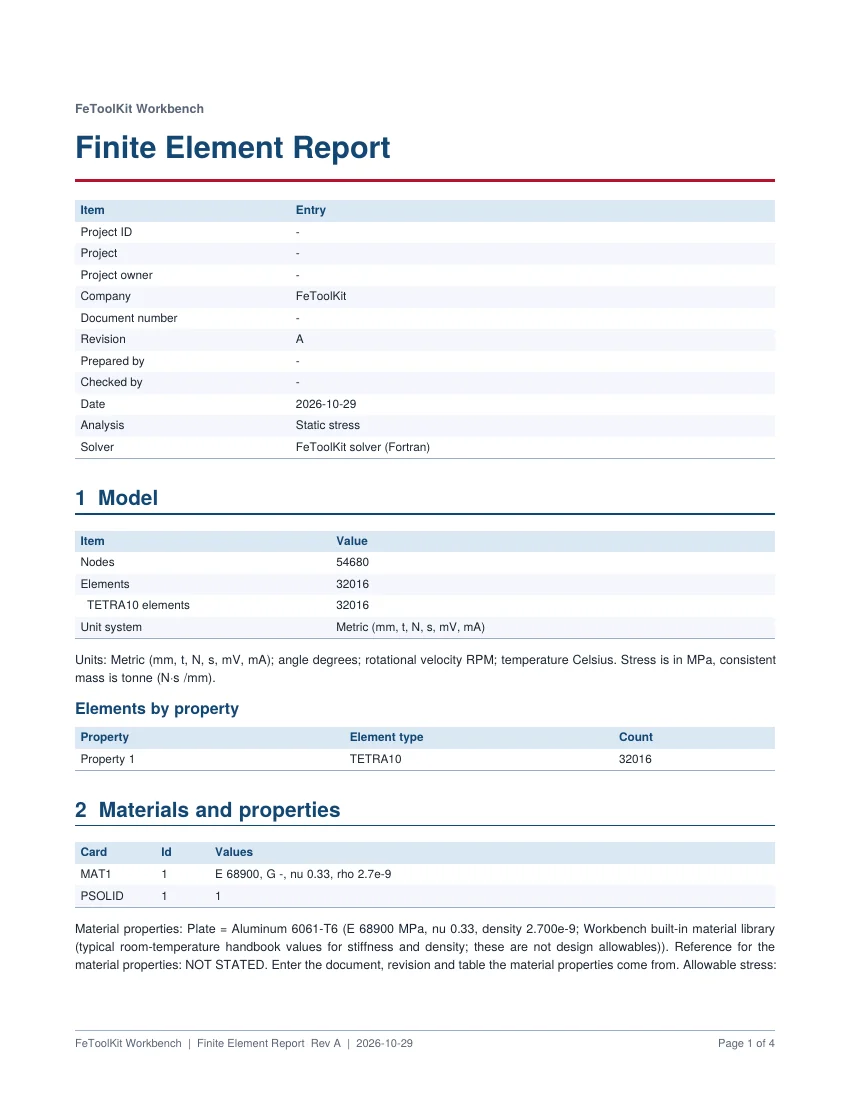
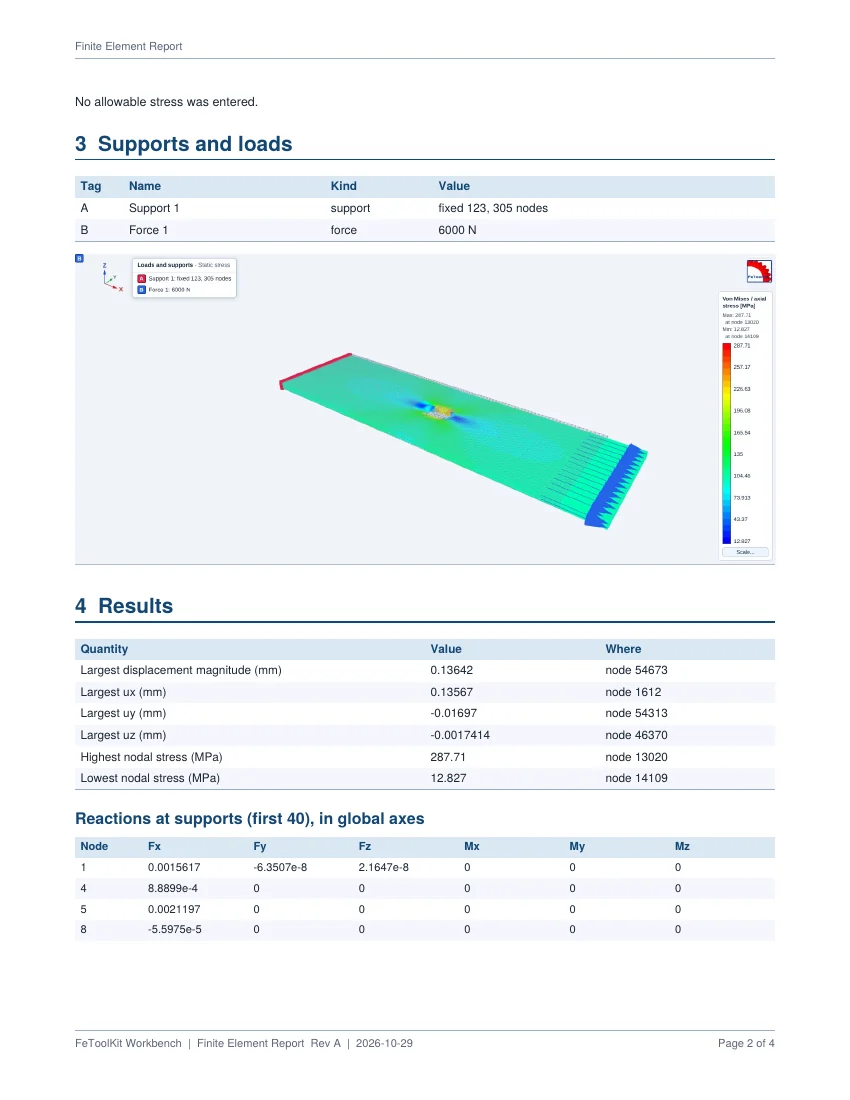
Write results and inputs into a report to share or file, or fill your own Word, Excel or PowerPoint template, finite element pictures included.
Examples
Nine ready-made models: cantilever (solid and bar), space truss, plate, L-bracket, tetrahedral block, modal bar, Euler column and plate buckling.
Hand over more than a screenshot.
Every analysis, FEA run and calculator writes its inputs, assumptions, results and graphics into your project report. Choose the format when you write it: Word, PDF, web page, Markdown or Excel. Revisions, references and a revision log are kept with the report. You can also fill your own or your customer's report format (Word, Excel or PowerPoint) automatically: the tool replaces the tags in your template with the inputs, assumptions, results and graphics of the analysis, which cuts reporting time and copying errors. The finite element pictures and the tool plots go into Word, Excel and PowerPoint templates alike, tags can bring in several cases at once, and a sample template pack is included to start from.
See it on your own part.
Contact us to get access to the full Workbench and all calculators.